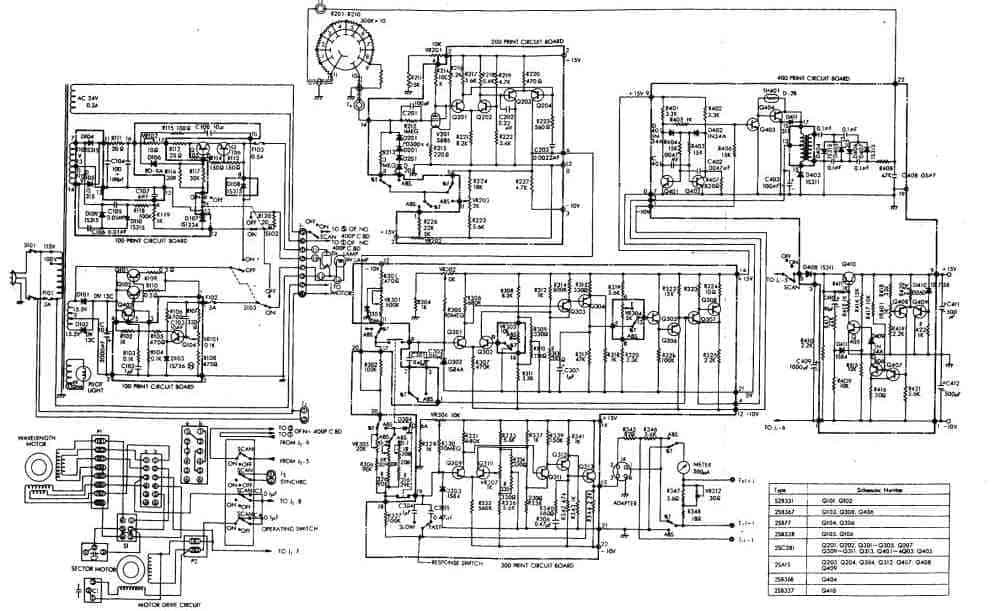
Every robust electronic device, from a simple LED blinker to a complex IoT hub, begins with a meticulously crafted blueprint: the electronic schematic. Learn about our schematics are far more than just pretty pictures; they're the foundational language that translates your innovative ideas into tangible, high-performance circuit boards. Without a clear, accurate, and well-thought-out schematic, you're building on shaky ground, risking everything from frustrating debug cycles to outright product failure.
This isn't just about drawing lines and symbols. It's about designing for reliability, manufacturability, and future scalability. It’s about anticipating challenges and embedding solutions before a single trace is laid on a PCB.
At a Glance: Crafting Your Schematic Masterpiece
- Schematics are your circuit's blueprint: Essential for successful PCB design and reliable electronic performance.
- Pre-design is crucial: Define requirements, select components wisely, and plan your architecture.
- Choose the right tools: Leverage modern EDA/eCAD software for efficiency and accuracy.
- Follow best practices: Prioritize readability, signal integrity, and robust power delivery.
- Design for more than function: Think about testability, manufacturing, and potential troubleshooting.
- Validate early and often: Use simulation and design rule checks to catch errors before fabrication.
Beyond the Block Diagram: Why Schematics are Non-Negotiable
You've got a fantastic idea for an electronic product. Maybe it's a smart sensor, a custom power supply, or a controller for a robotic arm. You've probably sketched out a block diagram, showing how different modules connect. That's a great start. But the block diagram is just the high-level roadmap. The schematic? That's the detailed architectural drawing, specifying every resistor, capacitor, integrated circuit (IC), and connection point.
It serves multiple critical functions:
- A Universal Language: For engineers, a schematic is a precise, unambiguous way to communicate circuit functionality. It's how you share your design with teammates, manufacturers, and even your future self during debugging.
- Foundation for PCB Layout: The schematic provides the netlist – a list of all connections – that guides the PCB designer in physically arranging components and routing traces. Errors here ripple directly into your board's physical layout.
- Simulation & Validation: Most modern schematic capture tools integrate with simulators, allowing you to test your circuit's behavior virtually before committing to hardware. This saves immense time and cost.
- Troubleshooting & Maintenance: When things go wrong, a well-organized schematic is your primary tool for diagnosing issues. It's your map through the electronic jungle.
- Documentation & Future-Proofing: A clean schematic is vital for documentation, version control, and any future modifications or iterations of your product.
The Anatomy of an Impeccable Schematic
A great schematic isn't just technically correct; it's intuitive and easy to read. Think of it as a story told in symbols and lines.
Components and Symbols: Speaking the Standard Language
Every component on your schematic should be represented by its standardized symbol (e.g., resistor, capacitor, transistor, op-amp). Using standard symbols is paramount for clarity and global understanding. Modern EDA software comes with extensive libraries, but sometimes you'll need to create custom symbols for unique or proprietary parts. Ensure these custom symbols are clear and accurately represent the component's pinout and function.
Nets and Connections: The Circuit's Nervous System
Nets are the wires connecting your components. They carry signals and power. Good net naming conventions are crucial. Instead of just "Net1," name them descriptively like "DATA_TX," "SENSOR_OUT," or "VCC_3V3." This makes tracing signals much easier, especially in complex designs. Avoid overly long or winding net lines; use net labels to connect points logically without visually cluttering the page.
Power and Ground: The Lifeblood of Your Circuit
These are arguably the most critical nets. Clearly denote power rails (e.g., VCC, VDD, Vbat) and ground (GND). Use dedicated power and ground symbols. On multi-sheet schematics, ensure all power and ground nets are consistently named and connected across pages. Clean power distribution is essential for stable operation and minimizing noise.
Hierarchy and Structure: Taming Complexity
For larger designs, a flat schematic on a single page quickly becomes unmanageable. Hierarchical design breaks down the circuit into smaller, logical blocks (sub-circuits), each on its own sheet. These sub-sheets connect to a main "top-level" sheet via hierarchical ports or connectors. This approach significantly improves readability, manageability, and allows for reusability of common circuit blocks.
Annotations and Documentation: The Unsung Heroes
Don't skimp on notes! Add comments, clarifications, and specifications directly onto your schematic.
- Reference designators: Every component needs a unique designator (R1, C1, U1).
- Component values: Clearly state resistance, capacitance, voltage, etc.
- Part numbers: Include actual manufacturer part numbers if known, or placeholders if still selecting.
- Voltage rails: Label all voltage levels.
- Special instructions: Any specific instructions for PCB layout or assembly should be noted.
- Revision history: A block for version control, author, and date.
These details transform a mere drawing into a comprehensive design document.
Before You Draw a Single Line: The Pre-Design Blueprint
The most robust schematics are born from thorough planning, not spontaneous drawing. This preparatory phase sets the stage for success.
1. Define Your Requirements and Specifications
What exactly do you want your circuit to do?
- Functional requirements: What inputs does it take, what outputs does it produce?
- Performance requirements: Speed, power consumption, accuracy, operating temperature, noise levels.
- Environmental factors: Operating conditions, ingress protection (IP) ratings.
- Safety standards: Any certifications required (CE, FCC, UL).
This upfront clarity will guide every subsequent design decision.
2. Component Selection: The Building Blocks
Choosing the right components is a delicate balance of performance, cost, availability, and footprint.
- Datasheets are your bible: Understand every parameter – absolute maximum ratings, operating conditions, pin functions, package types.
- Availability and supply chain: Are these components readily available? Are there second sources? Consider lead times and obsolescence.
- Cost: Balance performance with budget constraints.
- Package type: Does it fit your PCB size and assembly method (surface mount vs. through-hole)?
This is also where fundamental principles of circuit analysis come into play. You'll be using Ohm's Law, Kirchhoff's Current Law (KCL), and Kirchhoff's Voltage Law (KVL) to select appropriate resistor values, calculate current draws, and ensure voltage levels are correct for your chosen ICs.
3. Block Diagrams and Architecture: The High-Level Plan
Refine your initial block diagram. This helps organize your thoughts and define the major functional units of your circuit (e.g., power supply, microcontroller, sensor interface, communication module). It's a critical step before diving into the detailed gate-level design.
4. Initial Calculations and Simulations: Prototyping in Software
Before laying out a complex power supply or high-speed data path, perform hand calculations for critical parameters like power budget, current draw, voltage drops, and clock frequencies. This initial validation can prevent significant redesigns later. For more complex interactions, leveraging circuit simulation software early on can identify potential issues.
Choosing Your Tools: The Right Workbench for the Job
Modern electronic design relies heavily on Electronic Design Automation (EDA) or Electronic Computer-Aided Design (ECAD) software. These tools simplify schematic capture, simulation, and PCB layout.
Overview of EDA/eCAD Software
These software suites provide a comprehensive environment for designing, simulating, and documenting electronic circuits. They come with libraries of standard components, design rule checkers, and output generators for manufacturing files.
Key Features to Look For:
- Intuitive Schematic Capture: Easy placement, wiring, and annotation.
- Extensive Component Libraries: A wide range of pre-built symbols and footprints.
- Integrated Simulation: Ability to run SPICE simulations directly from your schematic. leveraging circuit simulation software like Multisim can be a game-changer for validating complex designs.
- Design Rule Checking (DRC): Automated checks for common schematic errors (unconnected pins, shorts, etc.).
- Netlist Generation: Essential for translating your schematic to PCB layout.
- Bill of Materials (BOM) Generation: Automated list of all components needed.
- Seamless PCB Layout Integration: The ability to push your schematic data directly to the layout tool.
- Version Control: Integration with systems like Git for tracking changes.
Some popular options include Altium Designer, KiCad (open-source), Eagle, OrCAD, and Fusion 360 Electronics. Each has its strengths and learning curve. Exploring the top EDA/eCAD software programs can help you find the best fit for your needs and budget.
Online Circuit Design Tools
For simpler projects or quick prototyping, online tools like circuit-diagram.org offer browser-based schematic capture and even basic simulation. They're great for visual design, easy sharing, and generating images of your circuits. While they may lack the advanced features of full EDA suites, they're excellent for learning and rapid iteration.
Step-by-Step: Crafting Your Schematic with Precision
Now, let's get into the practical steps of bringing your circuit to life within your chosen EDA software.
1. Start a New Project
Every design begins with a new project file. This typically creates a dedicated folder for all your schematic sheets, PCB layout files, libraries, and generated outputs. Give your project a clear, descriptive name.
2. Place Your Components
Begin by placing major ICs (microcontrollers, power management ICs, FPGAs) onto your schematic sheet. Then, add supporting components like resistors, capacitors, connectors, and discrete semiconductors around them. Think about logical groupings and signal flow; don't just randomly scatter parts. Consider using a grid for alignment.
3. Wire Up Connections (Nets)
Connect the pins of your components using net lines. For signals that cross long distances or connect between hierarchical sheets, use net labels instead of drawing messy long lines. Ensure every pin that needs to be connected is connected. Unconnected pins often lead to unexpected behavior.
4. Add Power and Ground Symbols
Clearly define your power rails (e.g., +5V, +3.3V, +12V) and connect them to the appropriate pins on your components. Do the same for ground (GND). Use dedicated power and ground symbols. Remember the importance of decoupling capacitors placed close to IC power pins – these are crucial for stable operation and filtering noise.
5. Label and Annotate Liberally
This is where you make your schematic truly useful.
- Reference Designators: Automatically (or manually) assign unique designators (R1, C10, U3).
- Component Values: Add values (10k, 0.1uF, 22pF).
- Net Labels: Name critical signal paths (SPI_MISO, UART_TX, I2C_SCL).
- Descriptive Text: Add notes about functionality, specific resistor series, or critical timing considerations.
- Ports: Define connections to other sheets in a hierarchical design.
6. Perform Design Rule Checks (DRC)
Your EDA software has built-in DRC functionality. Run it often! DRCs check for common errors like:
- Unconnected pins.
- Nets with no drivers.
- Shorts between different nets.
- Duplicate reference designators.
- Component mismatches (e.g., using a symbol for an op-amp but associating it with a resistor footprint).
Addressing DRC errors early saves massive headaches later.
7. Generate Bill of Materials (BOM) and Netlist
Once your schematic is clean and validated, generate these essential output files:
- BOM: A list of all components, quantities, part numbers, and sometimes supplier information. Critical for procurement.
- Netlist: A text file listing all components and their pin-to-pin connections. This is the primary input for the PCB layout phase.
Best Practices for Robust, Reliable Schematics
Designing schematics is a skill honed over time. These best practices will guide you towards creating not just functional, but truly robust and reliable designs.
Readability and Organization: The User Experience
- Logical Flow: Arrange components from left-to-right for signal flow, and top-to-bottom for power distribution.
- Consistent Orientation: Keep components oriented similarly (e.g., all ICs facing the same way if possible).
- Gridding: Use the software's grid system for neat alignment.
- Avoid Overlapping: Ensure no symbols, text, or lines overlap.
Signal Integrity Considerations: Keeping Your Signals Clean
Even at the schematic level, you can prepare for good signal integrity.
- Decoupling Capacitors: Place these close to the power pins of every IC, especially digital ones. They provide local current reservoirs and filter high-frequency noise. Often, a small ceramic (e.1uF) and a larger electrolytic (1-10uF) are used in parallel.
- Termination Resistors: For high-speed buses (e.g., SPI, I2C, CAN), consider adding termination resistors at the ends of transmission lines to prevent reflections.
- Filter Circuits: For sensitive analog signals or noisy power lines, include RC or LC filters.
- Grounding Strategy: Plan how your analog and digital grounds will connect, often at a single point, to avoid ground loops.
Power Delivery Networks (PDN): Ensuring Stable Power
- Separate Power Domains: If you have multiple voltage rails (e.g., 3.3V, 5V, 12V), clearly separate and label them.
- Fuses and Protection: Incorporate fuses, TVS diodes, or current limiting circuits to protect your board from overcurrents or voltage spikes.
- Load Balancing: Distribute high-current loads evenly to avoid localized voltage drops.
Electrostatic Discharge (ESD) Protection: Guarding Against Zaps
Electronic components are sensitive to static electricity. At the schematic level, you can include:
- ESD Diodes: Place transient voltage suppression (TVS) diodes on external data lines and power inputs to shunt high-voltage spikes to ground.
- Spark Gaps: For higher voltage protection, consider spark gap structures on your PCB, which are initiated in the schematic.
Thermal Management: Preventing Overheating
While mostly a PCB layout concern, some thermal considerations start in the schematic:
- Component Selection: Choose components with appropriate power ratings and thermal characteristics (e.g., selecting a power resistor with a higher wattage rating than calculated).
- Heat Sinks: If an IC requires a heat sink, ensure its footprint in the library accounts for it.
- Power Dissipation Calculations: Estimate power dissipation for major components to inform later thermal analysis.
Design for Testability (DFT): Making Debugging Easier
A good schematic anticipates future testing needs.
- Test Points: Add dedicated test points to critical signal lines and power rails. These are simply pads on the PCB that allow you to easily probe voltages or signals with a multimeter or oscilloscope.
- Jumpers/Switches: Include jumpers or switches to isolate parts of the circuit for easier debugging or configuration.
- LED Indicators: Simple LEDs can provide visual feedback for power, status, or error conditions. This helps greatly when troubleshooting electronic circuits.
Design for Manufacturing (DFM): Ensuring Buildability
- Standard Components: Prioritize readily available, standard components unless absolutely necessary to use specialized ones.
- Clear Labeling: Ensure all component reference designators and values are clear for assembly.
- Avoid Obscure Packages: Unless performance demands it, stick to common component packages that are easier for assembly houses to handle.
Once your schematic is finalized and passed its DRC, you're ready to transition to the physical layout of your circuit board, leveraging our comprehensive guide to PCB design and layout.
Avoiding Common Pitfalls in Schematic Design
Even experienced engineers can fall victim to common schematic errors. Being aware of these traps can save you significant time and frustration.
- Unconnected Pins: This is perhaps the most frequent and insidious error. An unused pin might need to be tied to VCC, GND, or left floating, depending on the datasheet. If a required connection is missed, the component simply won't work as intended. Always review pin connections carefully.
- Incorrect Component Values or Footprints: Mistyping a resistor value (e.g., 100k instead of 10k) or associating a component symbol with the wrong physical footprint (e.g., an SOT-23 transistor symbol with a larger TO-92 footprint) can lead to non-functional boards or components that simply don't fit. Double-check your BOM against your schematic and chosen footprints.
- Power/Ground Shorts: Accidentally connecting a power net to ground, or two different power rails together, is a recipe for smoke and component destruction. DRCs should catch these, but a visual check is also vital.
- Lack of Decoupling Capacitors: Forgetting to place decoupling capacitors near IC power pins is a primary cause of unstable digital circuits, noisy analog signals, and general unpredictability.
- Poor Documentation: A schematic without clear labels, comments, and a revision history is a nightmare to revisit months later, let alone for someone else to understand. Always document your design choices.
- Over-Complication: Sometimes, the simplest solution is the best. Avoid adding unnecessary complexity or features that aren't strictly required. Each additional component increases cost, potential failure points, and design time.
- Ignoring Datasheets: Every component has a datasheet. Ignoring critical information like absolute maximum ratings, recommended operating conditions, or specific connection requirements is a fast track to failure. Always consult the datasheet.
- Inconsistent Libraries: Using component symbols and footprints from different libraries without verifying compatibility can lead to mismatches and errors during netlist generation or PCB layout. Maintain a consistent and verified library system.
From Schematic to PCB: The Next Horizon
Once your schematic is a validated, error-free blueprint, the journey moves to the physical realization: the Printed Circuit Board (PCB). The schematic's netlist becomes the core instruction set for your PCB layout software. It dictates which pins connect to which, ensuring that the physical copper traces accurately reflect the electrical connections you defined.
A well-designed schematic not only guides the PCB layout but also makes the subsequent steps – manufacturing, assembly, testing, and debugging – significantly smoother. It streamlines the entire product development lifecycle, minimizing errors and accelerating your time to market.
Expert Insights: The Human Element of Design
Designing schematics isn't a solitary endeavor. Collaboration and review are essential:
- Peer Reviews: Have another engineer, if possible, review your schematic. A fresh pair of eyes can spot errors you've overlooked.
- Walkthroughs: Mentally "walk through" your circuit, tracing signals and power paths, imagining its operation. Even better, simulate key sections.
- Continuous Learning: The electronics landscape evolves rapidly. Stay updated on new components, design techniques, and best practices. Participate in communities, read technical articles, and keep experimenting.
Empowering Your Next Reliable Circuit
Designing electronic schematics is an art form backed by rigorous engineering principles. It's the critical first step in transforming an abstract concept into a reliable, functional piece of hardware. By meticulously defining your circuit, selecting appropriate components, leveraging powerful EDA tools, and adhering to best practices, you lay a solid foundation for a successful product.
Embrace the schematic as your circuit's most vital document. Invest time in its clarity, accuracy, and completeness, and you'll be well on your way to building robust, high-performance circuit boards that stand the test of time. Your journey to creating innovative electronics begins here, with the precision and foresight embedded in every line and symbol of your schematic.